
Anúncios
Unlock the full potential of your smartphone by enabling 5G connectivity and experience lightning-fast internet speeds like never before.
Understanding 5G Technology

Learn More About 5G
The arrival of 5G technology has revolutionized how we connect to the world around us.


- With download speeds up to 100 times faster than 4G, reduced latency, and improved network capacity, 5G is transforming everything from streaming entertainment to remote work capabilities.
Many smartphone users, however, aren’t aware that their devices might already support this cutting-edge technology.
If you’ve recently purchased a new smartphone or upgraded your mobile plan, there’s a good chance your device is 5G-capable.
The challenge is that 5G isn’t always enabled by default, and navigating through settings can be confusing.
This comprehensive guide will walk you through everything you need to know about activating and optimizing 5G on your smartphone, regardless of your device type or carrier.
🔍 What Makes 5G Different from Previous Networks
Before diving into activation steps, it’s essential to understand what sets 5G apart from its predecessors. The fifth generation of wireless technology represents a quantum leap in mobile connectivity, offering transformative benefits that go far beyond simple speed improvements.
5G networks operate on three different frequency bands: low-band, mid-band, and high-band (mmWave). Low-band 5G provides wide coverage similar to 4G but with moderately improved speeds. Mid-band offers a balance between speed and coverage, delivering significantly faster performance than 4G. High-band mmWave provides extraordinary speeds but with limited range, typically found in dense urban areas.
The latency reduction is perhaps one of 5G’s most impressive features. While 4G networks typically have latency around 50 milliseconds, 5G can achieve latency as low as 1 millisecond. This near-instantaneous response time opens doors for applications like real-time gaming, augmented reality experiences, and critical IoT applications.
Network capacity has also been dramatically enhanced. 5G can support up to one million devices per square kilometer, compared to 4G’s limitation of around 100,000 devices. This massive capacity increase ensures consistent performance even in crowded areas like stadiums, concerts, or busy urban centers.
📱 Checking if Your Phone Supports 5G
Not all smartphones are created equal when it comes to 5G compatibility. Before attempting to enable 5G, you need to verify that your device has the necessary hardware. Most flagship smartphones released after 2020 include 5G capabilities, but mid-range and budget devices vary considerably.
For iPhone users, 5G support began with the iPhone 12 series and continues through all subsequent models including the iPhone 13, 14, and 15 series. To check your iPhone’s capabilities, navigate to Settings, then Cellular, and look for Cellular Data Options. If you see a 5G toggle or menu, your device is 5G-capable.
Android users have a wider variety of manufacturers to consider. Samsung’s Galaxy S20 and newer flagship models support 5G, as do Google Pixel phones starting from the Pixel 5. OnePlus, Xiaomi, OPPO, and other manufacturers have also released numerous 5G-compatible devices across various price points.
To verify 5G support on Android, go to Settings, then Network & Internet or Connections (depending on your device), and tap on Mobile Networks. If you see options for 5G or network mode selections that include 5G, your phone has the capability. You can also check your device specifications in the About Phone section or consult your manufacturer’s website.
📡 Ensuring Your Carrier Provides 5G Service
Having a 5G-capable phone is only half the equation. Your mobile carrier must offer 5G service in your area, and your plan must include 5G access. The good news is that major carriers worldwide have been aggressively expanding their 5G networks over the past few years.
In the United States, carriers like Verizon, AT&T, and T-Mobile have deployed extensive 5G networks covering most major metropolitan areas and increasingly rural regions. T-Mobile particularly stands out with its nationwide low-band and expanding mid-band coverage. Verizon has focused heavily on mmWave in urban centers while building out its low and mid-band presence.
Check your carrier’s coverage map on their official website to see if 5G is available in your location. These maps typically differentiate between different types of 5G coverage (low-band, mid-band, and mmWave), giving you realistic expectations about the speeds you’ll experience.
Some carriers require specific plan upgrades to access 5G, while others include it automatically with existing unlimited plans. Contact your carrier or check your account online to confirm that your current plan supports 5G connectivity. In many cases, legacy plans may need updating to unlock 5G access, even if you have a compatible device.
⚙️ Step-by-Step Guide to Enable 5G on iPhone
Apple has made enabling 5G relatively straightforward on compatible iPhones, but understanding the different options will help you optimize your experience based on your needs and usage patterns.
Start by opening the Settings app and tapping on Cellular or Mobile Data. Select Cellular Data Options, then tap on Voice & Data. Here you’ll find several options that control how your iPhone uses 5G connectivity.
The first option, “5G On,” keeps your iPhone on 5G whenever it’s available, even when the speed benefits might be minimal. This provides the fastest possible speeds but may drain your battery more quickly. The second option, “5G Auto,” is Apple’s recommended setting for most users. It intelligently switches between 5G and 4G based on your activity, preserving battery life when 5G speeds aren’t necessary.
There’s also an “LTE” option that disables 5G entirely, useful if you’re experiencing connectivity issues or want to maximize battery life. Additionally, you’ll find a “Data Mode” setting where you can choose between standard, low data mode, or allow more data on 5G. The latter option enables higher-quality video streaming and FaceTime calls when connected to 5G.
For those with dual SIM setups, you’ll need to configure 5G settings for each line separately. Navigate to the specific line’s cellular settings and repeat the process. Remember that on most iPhones, only one line can use 5G at a time when both SIMs are active.
🤖 Activating 5G on Android Devices
Android’s diverse ecosystem means the exact steps for enabling 5G vary slightly between manufacturers, but the general process remains similar across most devices. Understanding these variations will help you navigate your specific phone’s settings effectively.
For Samsung Galaxy devices, open Settings and tap on Connections, then select Mobile Networks. Look for Network Mode and tap it to see available options. Select the option that includes 5G, typically labeled as “5G/LTE/3G/2G (auto connect)” or similar. Some Samsung phones also offer separate toggles specifically for 5G activation.
Google Pixel users should open Settings, tap Network & Internet, then select SIMs and choose your active SIM card. Tap on Preferred Network Type and select the 5G option. Pixel devices typically offer straightforward options like “5G (recommended)” or allow you to choose specific network types.
OnePlus devices follow a similar path: Settings, then Wi-Fi & Network (or SIM & Network), followed by the active SIM card. Under Preferred Network Type, select the 5G option. OnePlus often provides granular control over network selection, allowing you to prioritize 5G or balance it with battery considerations.
For Xiaomi, OPPO, and other Android manufacturers, the general pattern is Settings → SIM cards & mobile networks → Select your SIM → Preferred network type → Choose 5G. Some devices may have the option under Settings → Mobile Network → Network Type. If you’re having trouble locating these settings, use your phone’s search function within Settings and type “5G” or “network type.”
🔧 Troubleshooting Common 5G Connection Issues
Even after successfully enabling 5G, you might encounter connectivity problems or notice that your phone doesn’t consistently maintain a 5G connection. Understanding common issues and their solutions will help you optimize your 5G experience.
If your phone shows 5G but you’re not experiencing faster speeds, you might be connected to low-band 5G, which offers only marginally better performance than 4G. Check your carrier’s coverage map to see what type of 5G is available in your location. Moving to an area with mid-band or mmWave coverage will provide noticeably faster speeds.
Intermittent 5G connectivity often results from being on the edge of coverage areas. Your phone may constantly switch between 5G and 4G, causing disruptions. In such cases, temporarily forcing your device to 4G/LTE might provide a more stable connection until you move to an area with stronger 5G signal.
Battery drain is a common complaint among early 5G adopters. If you notice significantly reduced battery life after enabling 5G, consider using your phone’s automatic mode (like iPhone’s 5G Auto) that intelligently balances performance and battery consumption. Some Android phones offer similar adaptive network modes.
Airplane mode cycling can resolve many temporary 5G connectivity issues. Simply enable Airplane Mode for 10-15 seconds, then disable it. This forces your phone to re-establish network connections, often resolving minor glitches. Similarly, restarting your phone periodically helps clear network cache and connection problems.
💡 Optimizing Your 5G Settings for Better Performance
Once 5G is enabled, fine-tuning your settings can significantly enhance your experience while managing battery consumption and data usage effectively. These optimization strategies will help you get the most from your 5G connection.
Consider configuring quality settings for streaming services when connected to 5G. Apps like Netflix, YouTube, and Spotify often default to lower quality on cellular connections to conserve data. With 5G’s increased speeds and potentially higher data caps, you can enable higher quality streaming for a better experience.
Many smartphones include battery optimization features specifically for 5G. Explore your device’s battery settings to find network-related power management options. Some phones allow you to set 5G to activate only when needed for high-bandwidth activities, automatically reverting to 4G for basic tasks like messaging or browsing.
Data monitoring becomes especially important with 5G because faster speeds make it easier to consume large amounts of data quickly. Set up data usage alerts and limits within your phone’s settings to avoid unexpected overage charges. Most carriers also offer apps that track your data consumption in real-time.
Background app refresh and automatic downloads can consume significant data on 5G without you realizing it. Review which apps have permission to use cellular data for background activities and restrict those that aren’t essential. Configure automatic app updates to occur only on Wi-Fi unless you have an unlimited data plan.
🌍 Understanding 5G Availability and Coverage Limitations
The global rollout of 5G networks continues to expand, but coverage remains inconsistent depending on your location, carrier, and the type of 5G being deployed. Setting realistic expectations will help you make the most of 5G when it’s available while understanding its current limitations.
Urban areas typically enjoy the most comprehensive 5G coverage, especially for faster mid-band and mmWave networks. Major cities in North America, Europe, and Asia have seen aggressive deployment, with carriers prioritizing high-traffic areas, business districts, and entertainment venues. However, even within cities, coverage can be spotty, particularly for mmWave 5G which has limited range.
Suburban and rural areas predominantly receive low-band 5G coverage, which provides better range but speeds only moderately faster than 4G. This type of 5G offers improved capacity and slightly reduced latency, making it beneficial during network congestion, but don’t expect dramatic speed improvements in these regions.
Indoor penetration remains a challenge for higher-frequency 5G signals. Buildings, especially those with thick walls or multiple floors, can significantly degrade 5G signals. You might notice your phone dropping from 5G to 4G when entering buildings, elevators, or underground areas. This is normal behavior and not a malfunction of your device.
International travelers should be aware that 5G frequency bands vary by country and region. Your phone might support 5G in your home country but not in destinations abroad if it lacks the necessary band compatibility. Check your device’s supported 5G bands and compare them with the bands used by carriers in countries you plan to visit.
📊 Comparing Real-World 5G Speeds Across Networks
Understanding what speeds to expect from 5G helps set realistic expectations and allows you to determine if your connection is performing optimally. Real-world 5G performance varies considerably based on numerous factors.
Low-band 5G typically delivers download speeds between 50-250 Mbps, which is comparable to good 4G LTE connections. While this might seem underwhelming, low-band 5G offers better consistency and capacity, meaning you’re more likely to maintain these speeds during peak usage times when 4G networks become congested.
Mid-band 5G, often considered the sweet spot of 5G technology, typically provides speeds ranging from 300-1000 Mbps in optimal conditions. This frequency range balances coverage area with performance, making it the most practical 5G option for everyday use. Most users notice significant improvements in download times, streaming quality, and overall responsiveness on mid-band 5G.
mmWave 5G can achieve extraordinary speeds exceeding 2-3 Gbps under ideal conditions, with some tests recording speeds above 4 Gbps. However, these ultra-fast connections are geographically limited to small areas in dense urban environments, and signal strength drops dramatically with distance or obstruction. You’ll typically only experience mmWave speeds within a few hundred feet of a 5G node with clear line of sight.
Upload speeds on 5G have also improved substantially compared to 4G. While 4G typically offers upload speeds of 10-50 Mbps, 5G can provide 100-500 Mbps or more, particularly beneficial for content creators, video callers, and anyone who regularly uploads large files from their smartphone.
🔐 Security and Privacy Considerations on 5G Networks
As with any technological advancement, 5G brings both opportunities and considerations regarding security and privacy. Understanding these aspects helps you use 5G safely and protect your personal information.
5G networks incorporate improved encryption and security protocols compared to previous generations. The technology includes enhanced authentication mechanisms and better protection against certain types of attacks like IMSI catchers (fake cell towers). However, no network is completely immune to security threats.
When using 5G for sensitive activities like online banking or accessing confidential work documents, consider using a VPN (Virtual Private Network) for an additional layer of encryption. While 5G’s faster speeds make VPN overhead less noticeable than on 4G, choose a reputable VPN service that doesn’t significantly throttle your connection.
Be mindful of data privacy when taking advantage of 5G’s speed for cloud-based services and applications. Faster connections make it more convenient to store and access data remotely, but this also means more of your personal information exists on servers beyond your direct control. Review privacy settings and permissions for apps that sync data over cellular connections.
Public 5G networks at airports, cafes, or events should be treated with the same caution as public Wi-Fi. While carrier 5G is generally more secure than public Wi-Fi hotspots, avoid conducting highly sensitive transactions on public networks without additional security measures like VPNs or two-factor authentication.
🚀 Future-Proofing Your Device for Evolving 5G Technology
5G technology continues to evolve with new features, improved efficiency, and expanded capabilities being developed constantly. Making smart decisions today will ensure your device remains relevant as networks advance.
When purchasing a new 5G phone, consider models that support a wide range of 5G frequency bands, including both sub-6 GHz and mmWave. While mmWave availability is currently limited, its deployment is expanding, and having compatible hardware ensures you can take advantage of these ultra-fast connections as they become more accessible.
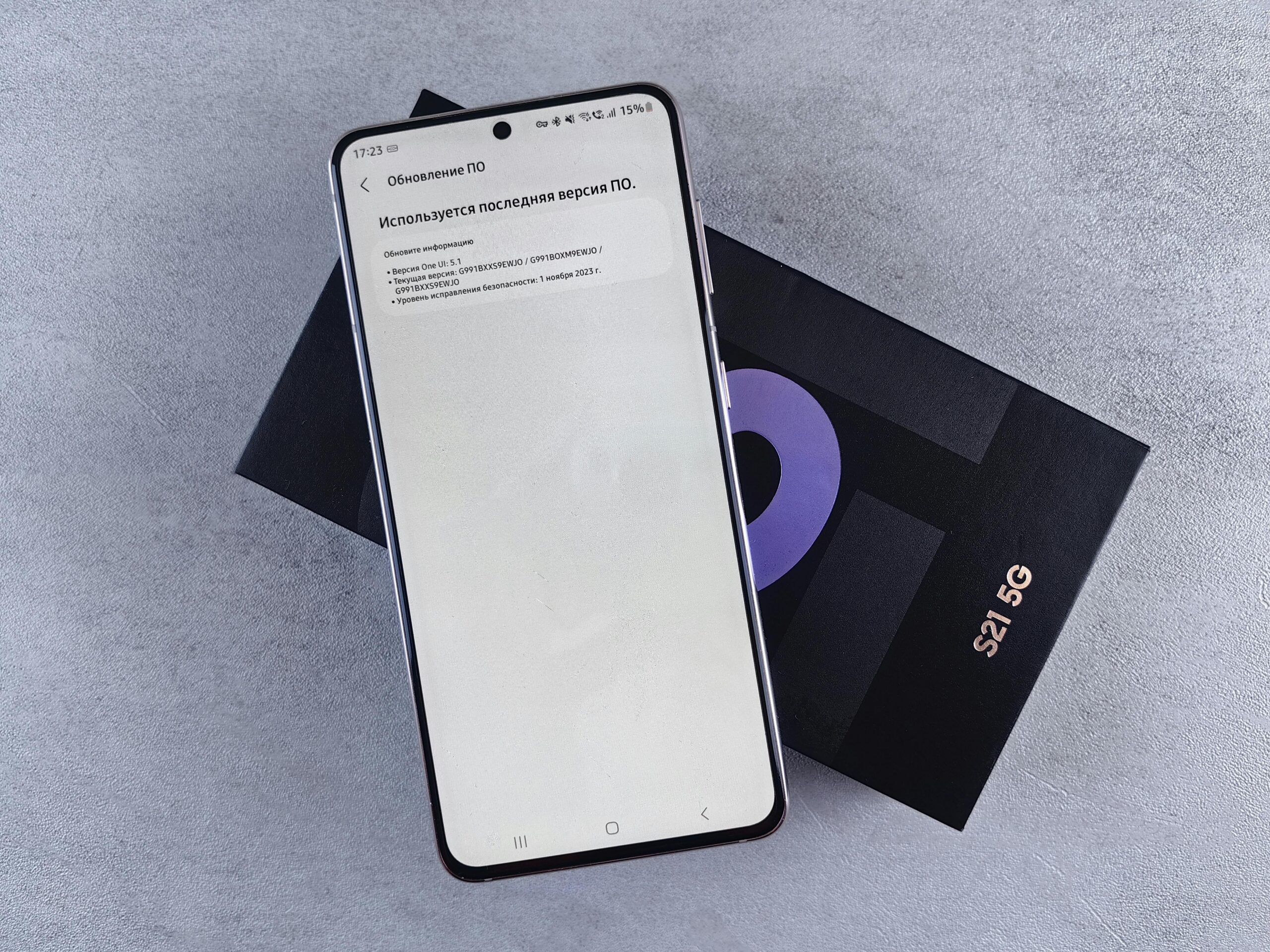
Software updates play a crucial role in optimizing 5G performance. Manufacturers regularly release updates that improve network efficiency, fix connectivity bugs, and enhance battery management for 5G usage. Enable automatic updates or regularly check for new versions to ensure your device operates optimally.
5G Standalone (SA) networks represent the future of 5G technology, offering improvements over current Non-Standalone (NSA) deployments that rely partially on 4G infrastructure. Most modern 5G phones support both, but confirming SA compatibility ensures your device can leverage advanced features as carriers upgrade their networks.
Consider your data plan’s future scalability. As 5G becomes more prevalent and applications increasingly take advantage of faster speeds, data consumption will likely increase. Choosing a plan with generous or unlimited data allowances now prevents the need for costly upgrades or overage fees as your usage grows.
✨ Maximizing the Benefits of Your 5G Connection
Now that you’ve successfully enabled 5G on your device, it’s time to explore the practical applications and experiences that truly showcase the technology’s capabilities. 5G isn’t just about faster downloads; it enables entirely new ways of using your smartphone.
Cloud gaming services like Xbox Cloud Gaming, GeForce Now, and PlayStation Remote Play become genuinely viable on 5G connections. The combination of high speeds and low latency allows for responsive gameplay with minimal lag, transforming your smartphone into a portable gaming console capable of running demanding titles without local hardware.
Video conferencing quality improves dramatically on 5G, with the bandwidth to support high-definition video and the low latency ensuring natural conversation flow without awkward delays. This makes 5G particularly valuable for remote workers, enabling professional-quality video calls from virtually anywhere with coverage.
Augmented reality applications benefit enormously from 5G’s capabilities. AR experiences require processing large amounts of data with minimal delay to overlay digital information smoothly onto the real world. 5G’s speed and latency characteristics make these applications significantly more responsive and immersive.
Instant access to cloud storage and services becomes practical on 5G. You can work directly from cloud-based documents, stream your entire music library without downloads, and access photos stored remotely with speeds that rival local storage. This capability effectively extends your phone’s storage capacity infinitely while maintaining immediate access to your content.
Enabling 5G on your smartphone opens the door to a faster, more responsive mobile experience that will only improve as networks expand and evolve. By following the steps outlined in this guide, understanding your device’s capabilities, and optimizing your settings, you’re now equipped to make the most of this transformative technology. Whether you’re streaming high-quality content, working remotely, gaming on the go, or simply browsing faster than ever before, 5G connectivity represents the future of mobile communication—and that future is available to you today.
